CI/CD Full Flow — UI App with GitHub Actions → ECR → ArgoCD
This section demonstrates an end-to-end Continuous Integration and Continuous Delivery (CI/CD) pipeline using GitHub Actions, Amazon ECR, and ArgoCD. The focus is on the UI service, while the supporting microservices (catalog, carts, checkout, orders) are deployed via Helm.
Step-01: Introduction to the Demo
In this hands-on demo, we:
- Use GitHub Actions to build, tag, and push the
UIDocker image to ECR. - Automatically update the
values-ui.yamlHelm file with the latest image tag. - ArgoCD detects the changes and triggers automated deployment to EKS.
✅ This setup simulates a real-world CI/CD pipeline with GitOps flow for containerized microservices.
Step-02: Deploy Supporting Apps (Non-UI) via Helm
We will deploy the supporting services (catalog, carts, checkout, orders) using Helm.
# Navigate to helper directory
cd LOW_COST_retailstore_HELM_Values

# Deploy dependent services (Without AWS Secrets Manager)
./03-v1.0.0-install-remote-helm-charts.sh

# [OR]

# Deploy dependent services (With AWS Secrets Manager Secrets)
./05-v2.0.0-install-remote-helm-charts.sh
This installs the backend services your UI depends on.
Step-03: Make a UI Change
Change a version number to simulate a code update.
# Go to project root
cd aws-devops-github-actions-ecr-argocd3

# Git Pull (Pull and Merge changes from )
./git-pull.sh

# Update UI home.html
./update-ui-home-html.sh V904

# Git Push
./git-push.sh V904
Sample Snippet that will be Edited by update-ui-home-html.sh
<h1 class="text-4xl sm:text-5xl font-bold text-white mb-6">
  The most public <span class="text-primary-400">Secret Shop - Version: V904</span>
</h1>
Updates the version string to V903, V904, etc.
Step-04: CI: Observe GitHub Actions Workflow
- Monitor pipeline status:
👉 GitHub Actions for this Repo
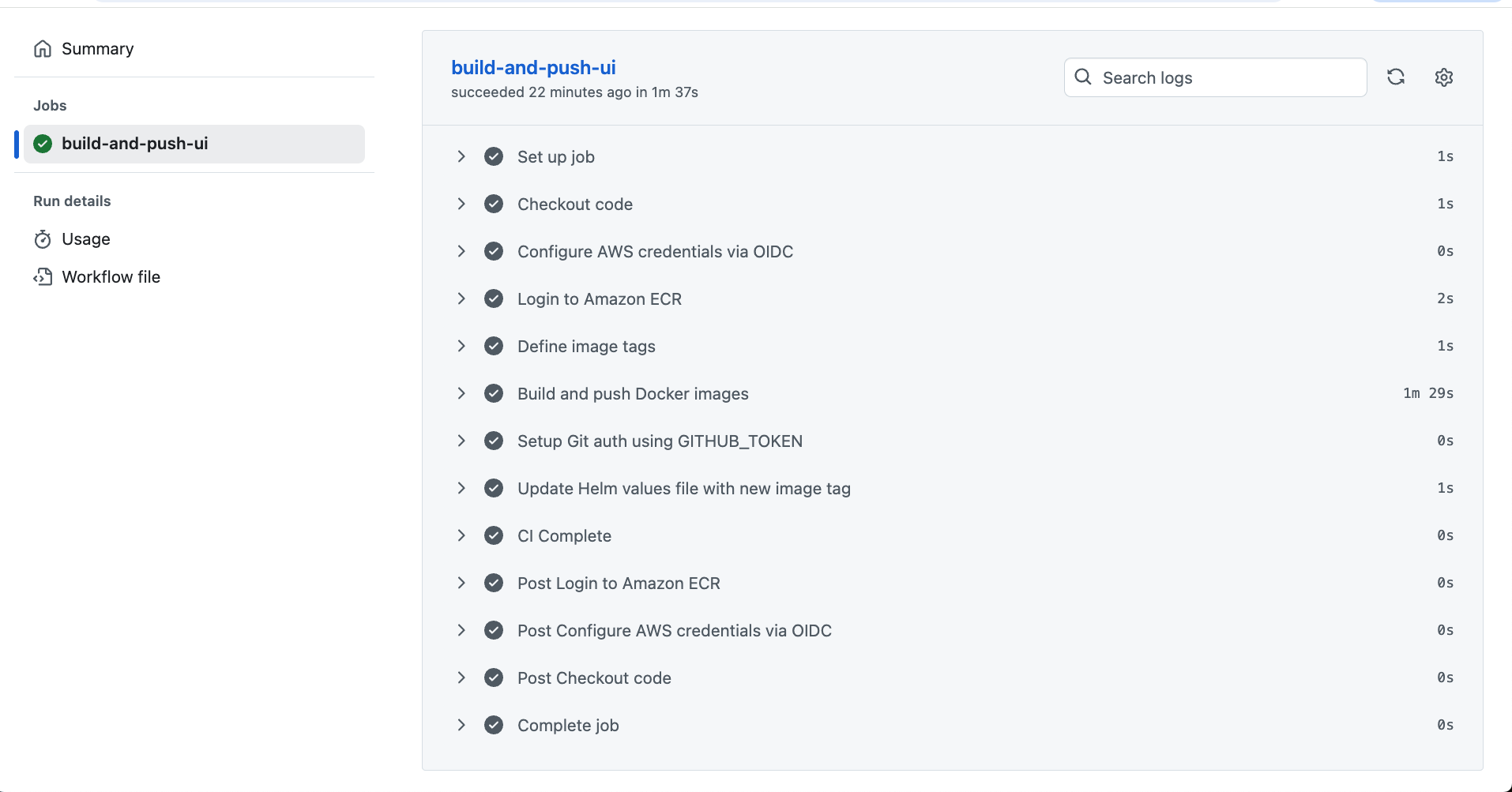

CI flow will build Docker image → push to ECR → update
values-ui.yaml
Step-05: Validate CI Outputs
ECR Image
- Go to Amazon ECR Console and verify a new image is pushed:

Updated Helm Values File
-
Visit
values-ui.yaml -
You should see:
image:
  repository: 180789647333.dkr.ecr.us-east-1.amazonaws.com/retail-store/ui
  tag: sha-abcdef1  # newly pushed tag

Step-06: CD: Verify ArgoCD Sync + UI Deployment
- ArgoCD will auto-sync (every \~2 minutes by default)
# Find UI ingress address
kubectl get ingress

# Example:
http://k8s-default-ui-b67f0083aa-497064173.us-east-1.elb.amazonaws.com
- Open the URL → Confirm the updated version in the UI
Note: ArgoCD sync interval is \~2 minutes by default.
Step-07: Repeat with New Version (e.g., V906)
- Update version in UI code → Commit & push → Verify new CI/CD flow works end-to-end
Step-08: Rollback via ArgoCD
- Go to ArgoCD UI → Application → History → Select Previous Revision → Rollback
Step-09: Clean-Up
# Delete Application from ArgoCD
Go to ArgoCD UI -> Delete UI Application

# Delete backend services
cd LOW_COST_retailstore_HELM_Values
./01-uninstall-retail-apps.sh

# Delete ArgoCD
kubectl delete ns argocd
✅ You now have a complete CI/CD pipeline from Git commit → Docker build → ECR push → Helm update → ArgoCD sync → UI deployment on EKS.