Terraform Remote State Storage Demo with Project-1 and Project-2
Step-01: Introduction
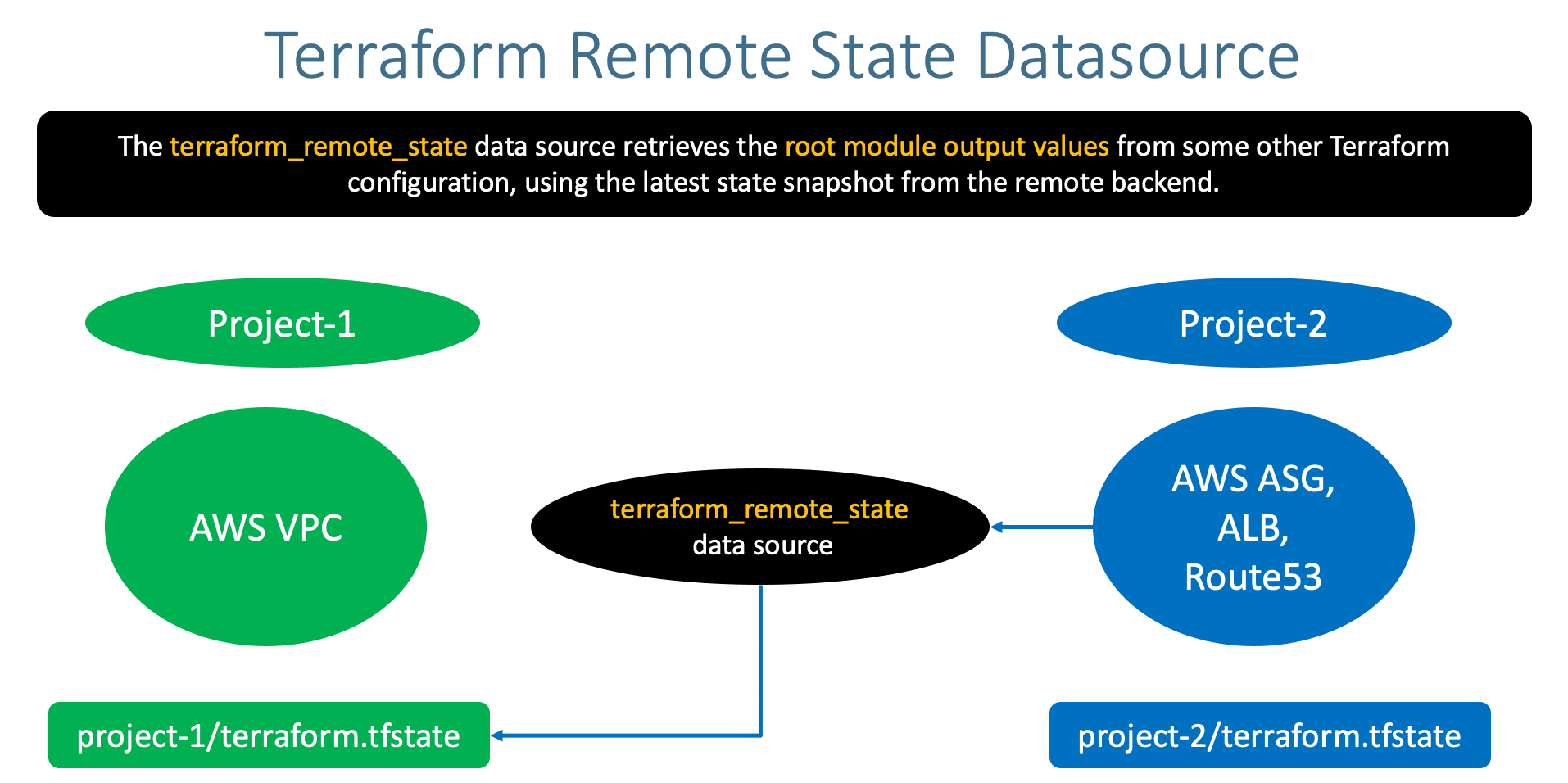
- Understand Terraform Remote State Storage
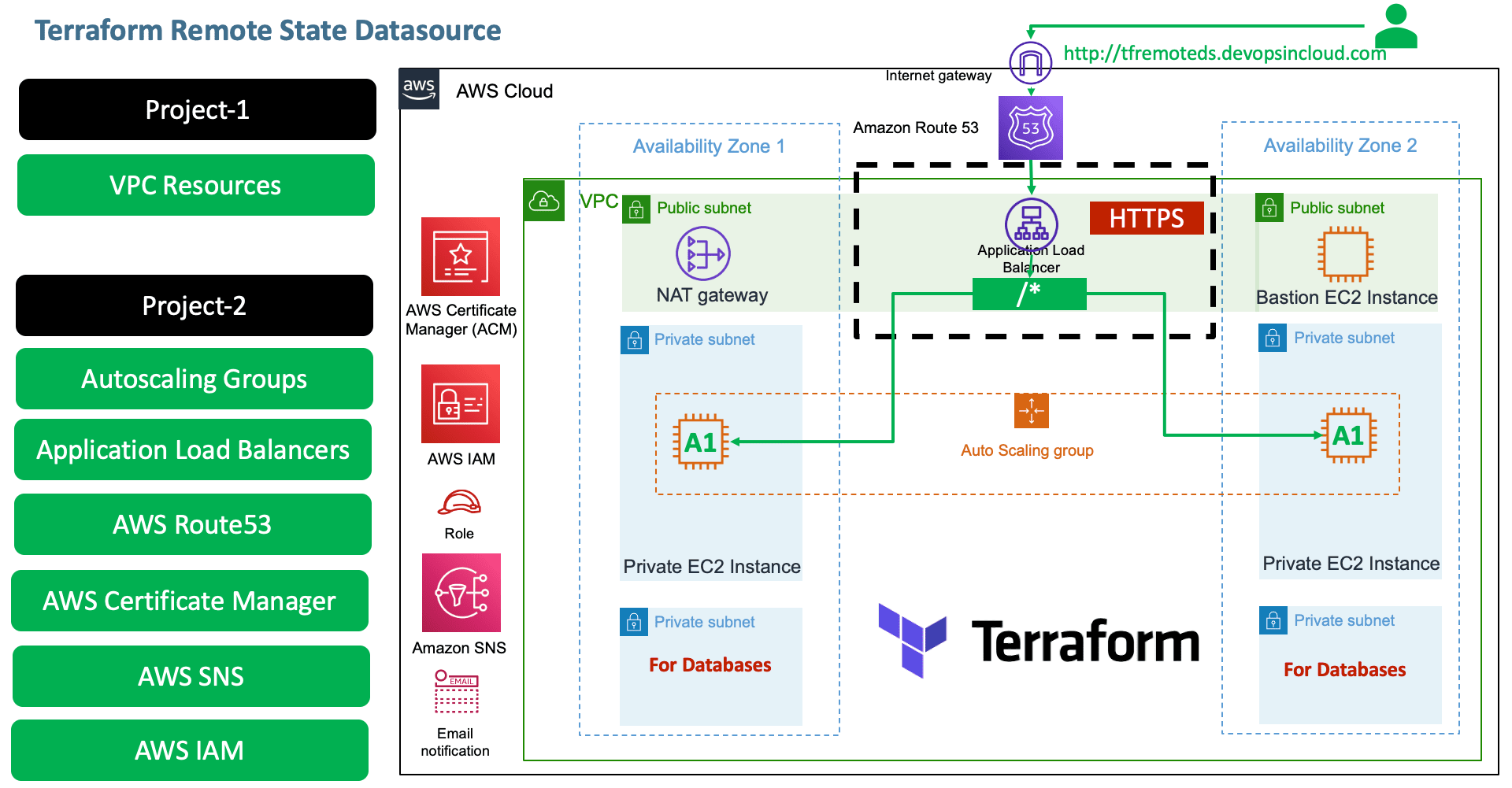
- Terraform Remote State Storage Demo with two projects
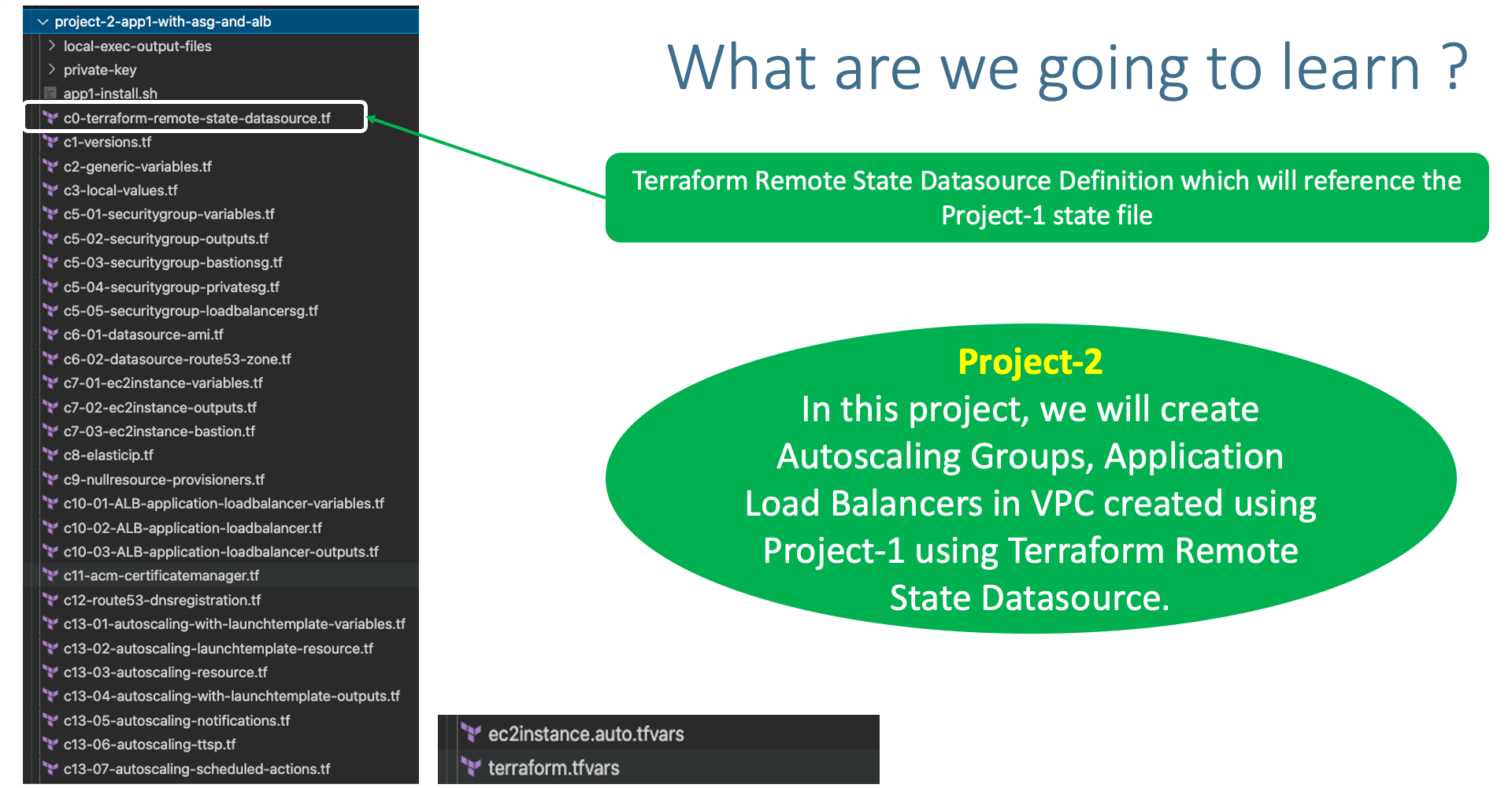
Step-02: Copy Project 1 VPC from Section 19
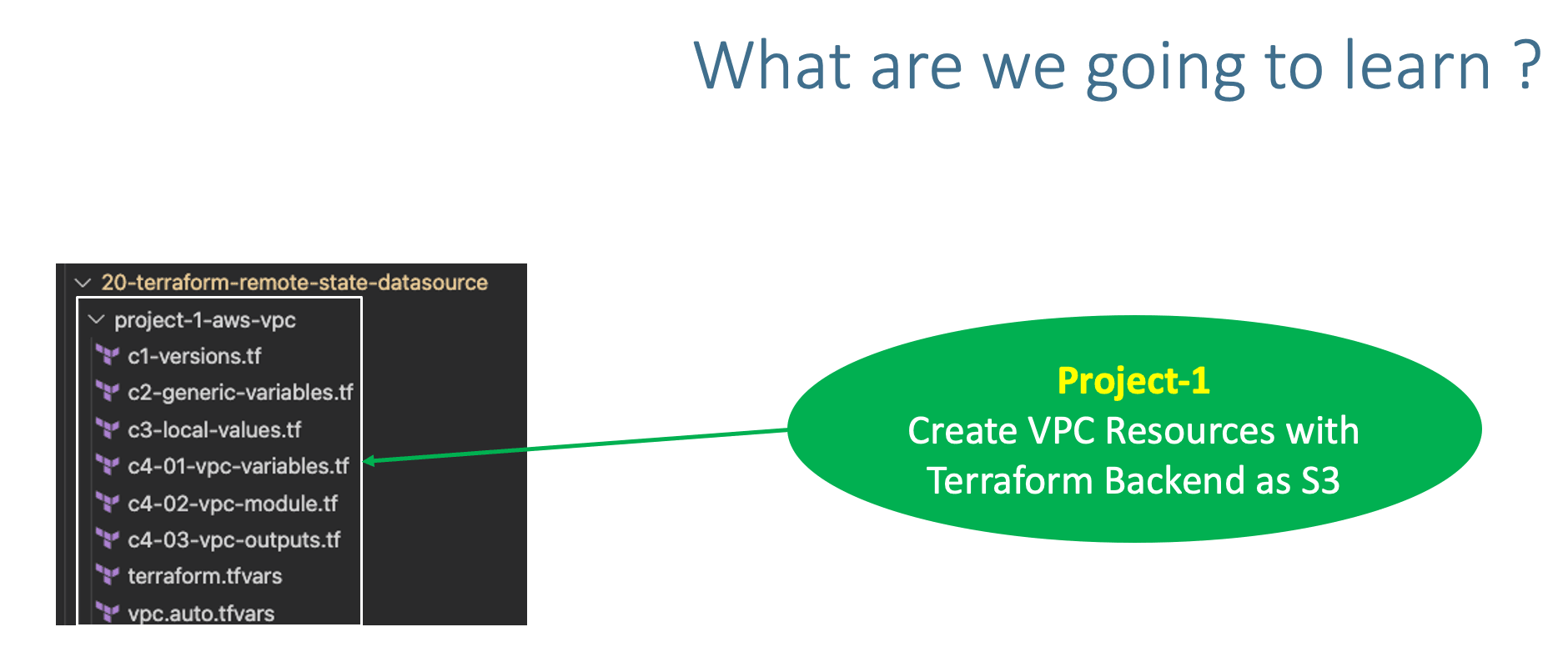
- Copy
project-1-aws-vpcfrom19-Remote-State-Storage-with-AWS-S3-and-DynamoDB
Step-03: Copy Project 2 App1 with ASG and ALB from Section 15
- Copy
terraform-manifests\*all files from Section15-Autoscaling-with-Launch-Templatesand copy toproject-2-app1-with-asg-and-alb
Step-04: Remove VPC related TF Config Files from Project-2
- Remove the following 4 files related to VPC from Project-2
project-2-app1-with-asg-and-alb - c4-01-vpc-variables.tf
- c4-02-vpc-module.tf
- c4-03-vpc-outputs.tf
- vpc.auto.tfvars
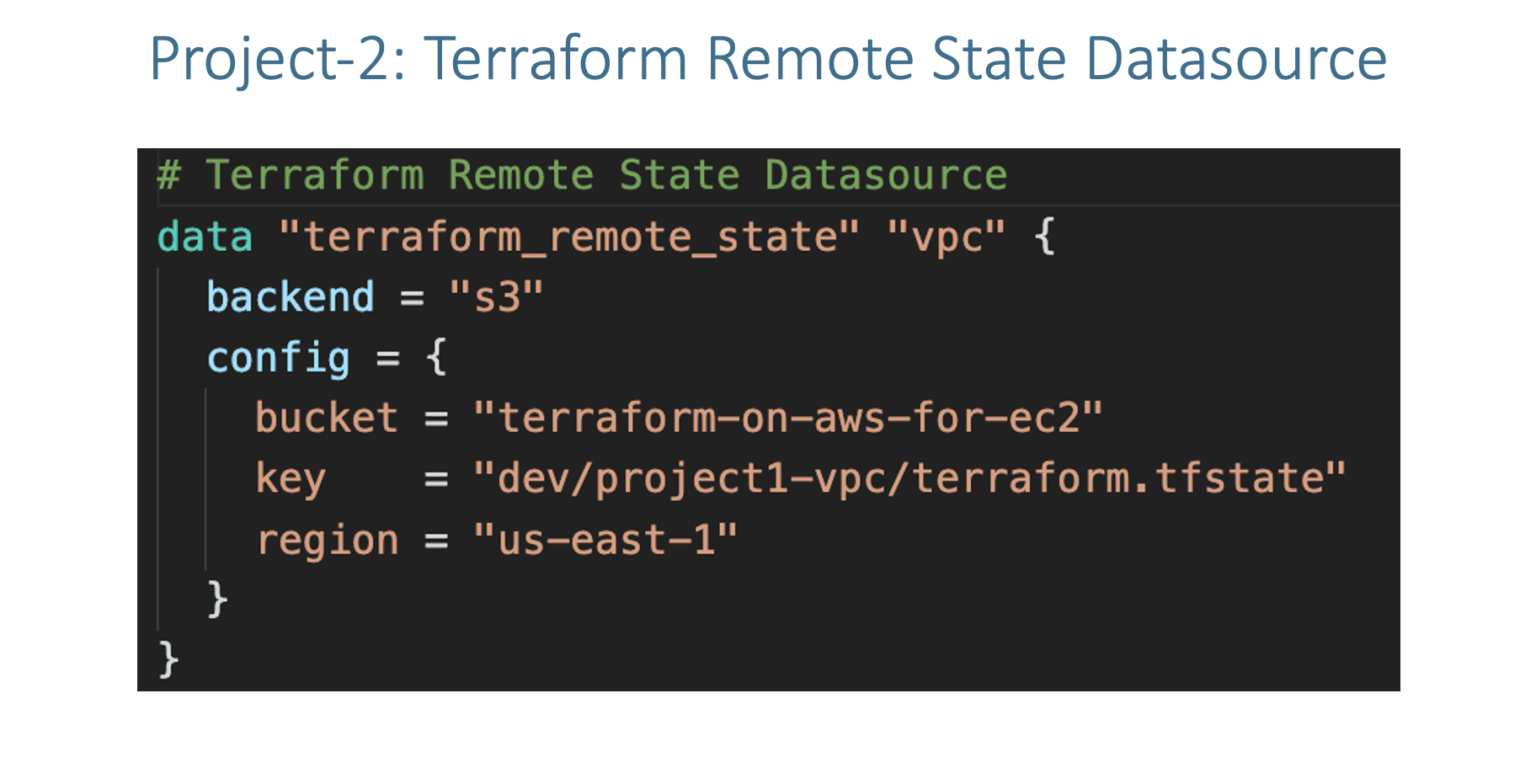
Step-05: Project-2: c0-terraform-remote-state-datasource.tf
- Create terraform_remote_state Datasource
- In this datasource, we will provide the Terraform State file information of our Project-1-AWS-VPC
Step-06: Project-2: Update Security Groups VPC ID
- c5-03-securitygroup-bastionsg.tf
- c5-04-securitygroup-privatesg.tf
- c5-05-securitygroup-loadbalancersg.tf
Step-07: Project-2: Update Bastion EC2 Instance VPC Subnet ID
- c7-03-ec2instance-bastion.tf
Step-08: Project-2: c8-elasticip.tf
# Before
  depends_on = [ module.ec2_public, module.vpc ]
# After
  depends_on = [ module.ec2_public, /*module.vpc*/ ]
Step-09: Project-2: c10-02-ALB-application-loadbalancer.tf
# Before
  vpc_id = module.vpc.vpc_id
  subnets = module.vpc.public_subnets
# After
  vpc_id = data.terraform_remote_state.vpc.outputs.vpc_id
  subnets = data.terraform_remote_state.vpc.outputs.public_subnets
Step-10: Project-2: c12-route53-dnsregistration.tf
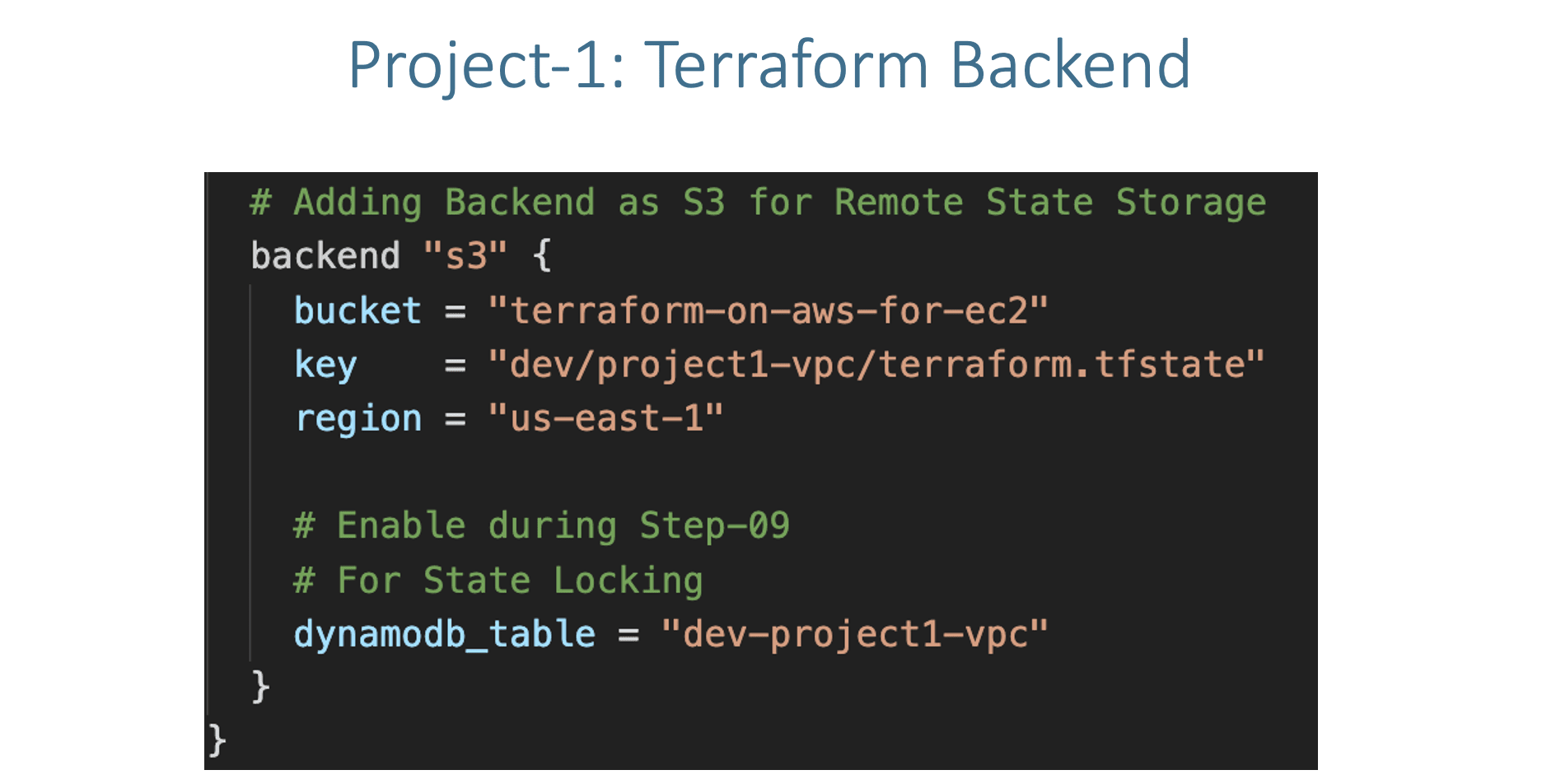
Step-11: Project-2: Create S3 Bucket and DynamoDB Table for Remote State Storage
- Create S3 Bucket and DynamoDB Table for Remote State Storage
- Leverage Same S3 bucket
terraform-on-aws-for-ec2with different folder for project-2 state filedev/project2-app1/terraform.tfstate - Also create a new DynamoDB Table for project-2
- Create Dynamo DB Table
- Table Name: dev-project2-app1
- Partition key (Primary Key): LockID (Type as String)
- Table settings: Use default settings (checked)
- Click on Create
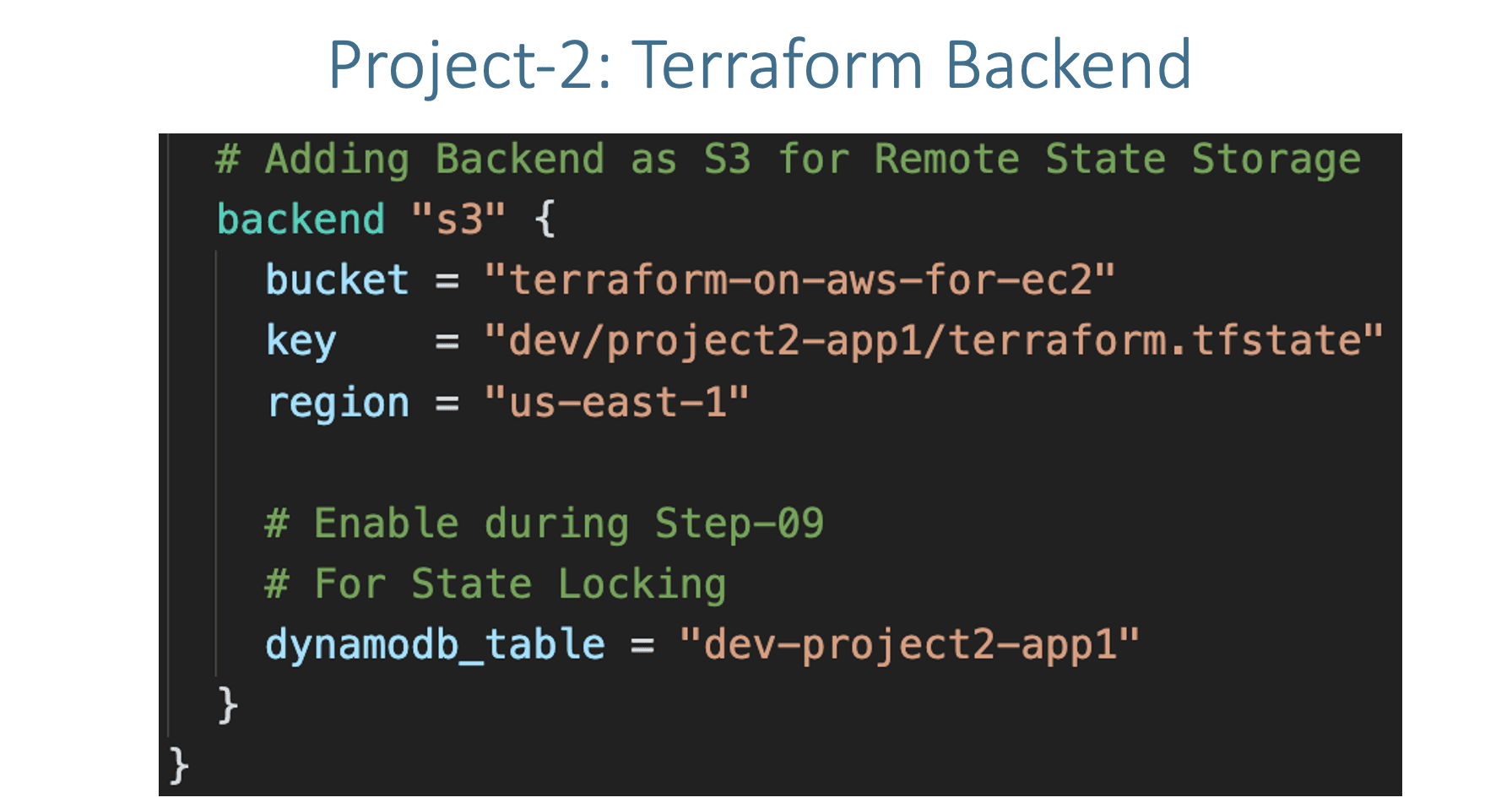
Step-12: Project-2: c1-versions.tf
- Update
c1-versions.tfwith Remote State Backend
Step-13: c13-03-autoscaling-resource.tf
# Before
  vpc_zone_identifier = module.vpc.private_subnets

# After
  vpc_zone_identifier = data.terraform_remote_state.vpc.outputs.private_subnets
Step-14: Project-1: Execute Terraform Commands
- Create Project-1 Resources (VPC)
# Terraform Initialize
terraform init

# Terraform Validate
terraform validate

# Terraform Plan
terraform plan

# Terraform Apply
terraform apply -auto-approve

# Terraform State List
terraform state list

# Observations
1. Verify VPC Resources created
2. Verify S3 bucket and terraform.tfstate file for project-1
Step-15: Project-2: Execute Terraform Commands
- Create Project-2 Resources (VPC)
Step-16: Verify Project-2 Resources
- Verify S3 bucket and terraform.tfstate file for project-2
- Verify Security Groups
- Verify EC2 Instances (Bastion Host and ASG related EC2 Instances)
- Verify Application Load Balancer and Target Group
- Verify Autoscaling Group and Launch template
- Access Application and Test
Step-17: Project-2 Clean-Up
# Change Directory
cd project-2-app1-with-asg-and-alb
# Terraform Destroy
terraform destroy -auto-approve

# Delete files
rm -rf .terraform*
Step-18: Project-1 Clean-Up
# Change Directory
cd project-1-aws-vpc

# Terraform Destroy
terraform destroy -auto-approve

# Delete files
rm -rf .terraform*
References
🎉 New Course
Ultimate DevOps Real-World Project Implementation on AWS
$15.99
$84.99
81% OFF
MARCH2026
Enroll Now on Udemy →
🎉 Offer