Delegate DNS Domain to Azure DNS
Important Note: DNS Domain
- This demo requires registered DNS Domain, if you don't have one just please go through the demo to know more about Azure Public DNS Zones
Step-01: Introduction
- Understand about
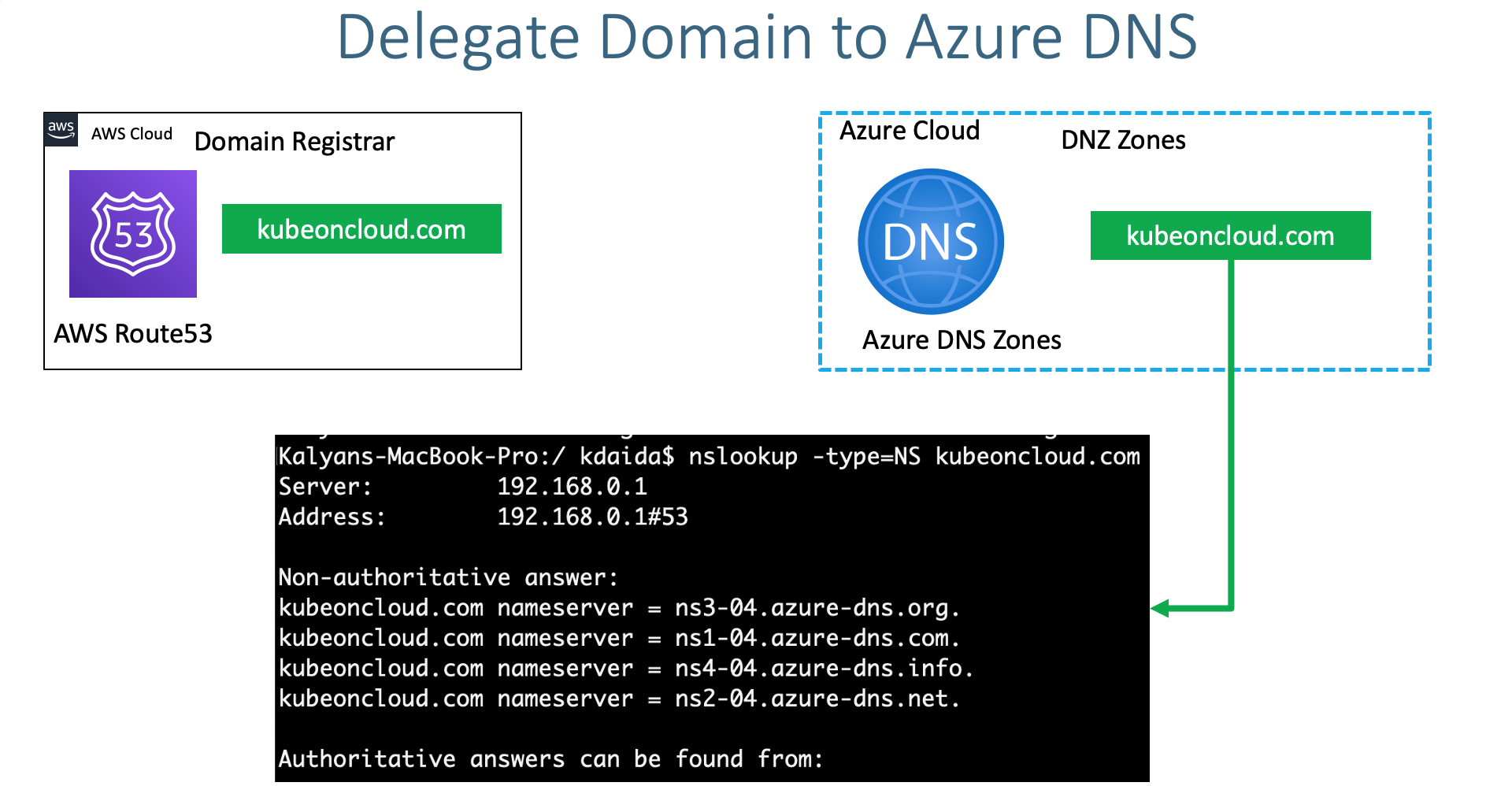
- Domain Registrar
- DNS Zones
- Learn to delegate a domain from AWS Route53 to Azure DNS by creating DNS Zones in Azure Cloud
Step-02: DNS Zones - Create DNS Zone
- Go to Service -> DNS Zones
- Subscription: StackSimplify-Paid-Subscription (You need to have a paid subscription for this)
- Resource Group: dns-zones
- Name: kubeoncloud.com
- Resource Group Location: East US
- Click on Review + Create
Step-03: Make a note of Azure Nameservers
- Go to Services -> DNS Zones -> kubeoncloud.com
- Make a note of Nameservers
Step-04: Update Nameservers at your Domain provider (Mine is AWS)
- Verify before updation
- Go to AWS Route53 (This is my Domain Provider)
- Go to Services -> Route53 -> Registered Domains -> kubeoncloud.com
- Click on Add or edit name servers
- Update Azure Name servers here and click on Update
- Click on Hosted Zones
- Delete the hosted zone with name kubeoncloud.com
- Verify after updation
🎉 New Course
Ultimate DevOps Real-World Project Implementation on AWS
$15.99
$84.99
81% OFF
MARCH2026
Enroll Now on Udemy →
🎉 Offer